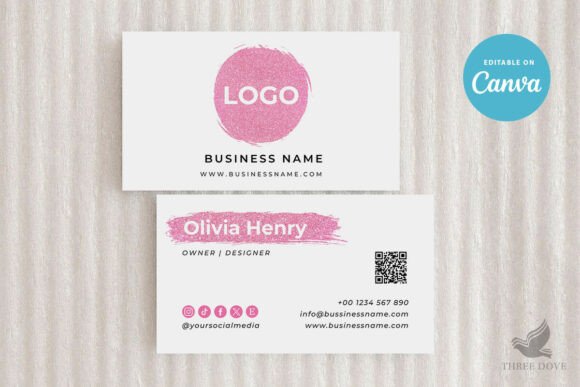
Editable Business Card Template: Integrating Design into Your Branding Workflow
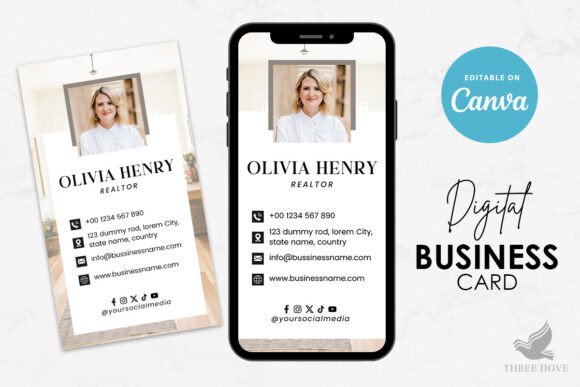
In the modern entrepreneurial landscape, establishing a cohesive visual identity is often the first tangible step in launching a venture. For professionals, creators, and small business owners, the business card remains a critical touchpoint in networking and brand recall. However, the traditional route of hiring a graphic designer or learning complex vector software can create bottlenecks in an already busy schedule. This is where an editable business card template serves as a strategic asset rather than just a design shortcut. It functions as a bridge between conceptual branding and physical execution, allowing you to maintain momentum in your business development without sacrificing professional aesthetics.
Understanding where this tool fits into your broader workflow is essential for maximizing its value. An editable template is not merely a pre-made layout; it is a structured framework that enforces design consistency while offering flexibility. When utilizing a business card template Canva users can access, the process shifts from creation to customization. This distinction matters because it allows you to focus on messaging and brand alignment rather than pixel-perfect alignment or typography pairing. By integrating this resource early in your branding phase, you ensure that your networking materials evolve alongside your business strategy, ready for deployment exactly when opportunities arise.
Pre-Project Preparation and Asset Organization
Before opening any design software, effective implementation requires preparation. A common failure point in DIY design is starting without organized assets. Because this specific editable business card template is designed for instant customization via Canva Free, your workflow should begin with gathering high-resolution logos, approved color hex codes, and finalized contact information. Having these elements ready prevents the friction of searching for files mid-design, which often leads to settling for lower-quality placeholders.
Consider this template as part of a larger brand kit ecosystem. Before editing, verify that your logo has a transparent background and that your brand fonts are available within the Canva environment. Since this is a digital template sized at 3.5 x 2 inches, understanding standard print specifications beforehand ensures your final output is production-ready. Preparation also involves defining the hierarchy of information. Decide what is most important for your current business goals—is it your website, social media handle, or direct email? The template provides the space, but your strategic planning dictates the content.
Executing Customization Within Technical Constraints
Once assets are organized, the execution phase begins. It is vital to understand the technical boundaries of this specific resource to avoid workflow disruptions. This item is a self-edited digital template compatible exclusively with Canva. Attempting to edit this file in Microsoft Word, Adobe Illustrator, Photoshop, or Google Docs will result in compatibility errors and wasted time. Recognizing this constraint upfront streamlines the process, ensuring you are working in the correct environment from the start.
The customization capabilities are robust but defined. You have full control over all text elements, including wording, font selection, color, size, and placement. This allows for significant personalization to match your unique voice. Backgrounds are also fully editable, enabling you to shift the mood of the card from corporate to creative instantly. However, users must note that while artwork can be resized and repositioned, the specific colors of the included artwork are not editable. Understanding this distinction helps manage expectations and encourages creative problem-solving, such as using background colors to complement fixed artwork elements rather than trying to alter them.
The inclusion of both front and back designs across two pages maximizes real estate for communication. In practice, use the front for high-impact branding and the back for functional details or calls to action. The provided Canva tutorial PDF serves as an integrated support document, reducing the learning curve and allowing you to move from download to finalized design efficiently. This self-contained support system is particularly valuable for entrepreneurs who cannot afford downtime troubleshooting design software.
Integration With Printing and Distribution Workflows
The design phase is only half the battle; the true test of an editable business card template is its performance in production. Because nothing physical is shipped with this digital product, the transition from screen to print rests entirely on your export settings and vendor selection. This template integrates seamlessly with various printing workflows, whether you choose home printing for immediate needs or professional services for bulk orders.
When preparing for professional printing, always export your design as a PDF Print file with crop marks and bleed enabled. The 3.5 x 2 inch dimension is standard, but verifying your printer’s specific bleed requirements is a necessary quality control step. If printing at home, ensure your printer settings are configured for "actual size" rather than "fit to page" to maintain dimensional accuracy. Testing on regular paper before using premium cardstock can save resources and help you visualize how colors translate from RGB screen display to CMYK print output.
For digital-first entrepreneurs, this template also supports virtual networking workflows. Exporting a PNG or JPG version allows you to use the design as a digital signature in emails or a profile asset on social platforms. This dual-purpose utility extends the ROI of the template beyond physical interactions, making it a versatile component of your overall marketing stack.
Maintaining Consistency Across Business Touchpoints
A single business card does not exist in a vacuum. It interacts with your website, social media profiles, invoices, and packaging. Using an editable business card template establishes a visual baseline that should inform other design decisions. The fonts, spacing, and color balance you finalize in this template can serve as a reference guide for future collateral. This creates a feedback loop where your business card reinforces your broader brand identity, and vice versa.
Efficiency in long-term use comes from saving your customized version as a master template within Canva. As your business evolves—changing phone numbers, updating taglines, or refreshing seasonal offers—you can duplicate your master file and make adjustments without rebuilding the design from scratch. This iterative approach saves hours of labor over the lifespan of your business. It also ensures that even as details change, the core visual structure remains consistent, building trust and recognition with your audience.
Evaluating Quality and Usability Factors
When selecting and using this type of resource, usability is paramount. The fact that no software download is required removes significant barriers to entry, making high-quality design accessible regardless of technical skill level. This accessibility democratizes professional branding for hobbyists, educators, and freelancers who may not have enterprise-level budgets. However, ease of use should not be confused with lack of rigor. The best results come from treating the template as a professional tool rather than a toy.
Quality control extends to the content itself. While the design may be minimal and modern, outdated contact information or typos undermine professionalism. Implement a review checklist before finalizing any export. Verify that links work (if using digital versions), phone numbers are correct, and spelling is accurate. Because the template allows for total text editing, the responsibility for accuracy lies with the user. Pairing the aesthetic advantages of the template with meticulous proofreading ensures the final product serves its intended purpose effectively.
Ultimately, an editable business card template is a productivity multiplier. It condenses weeks of design iteration into hours of focused customization. By understanding its place in your workflow, respecting its technical parameters, and integrating it with your broader branding strategy, you transform a simple digital download into a foundational business asset. Whether you are launching a new venture or refreshing an established brand, this approach offers a practical, scalable solution for professional presentation.