Chrome Text Effect Style for Photoshop
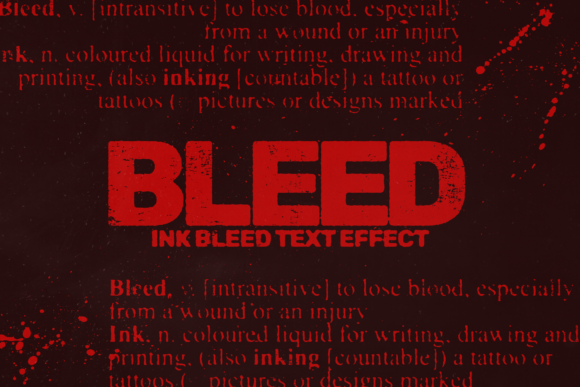
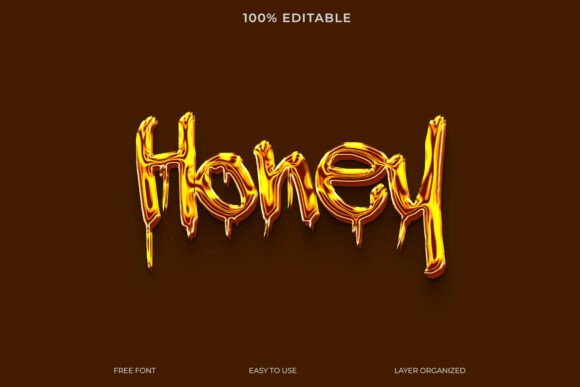
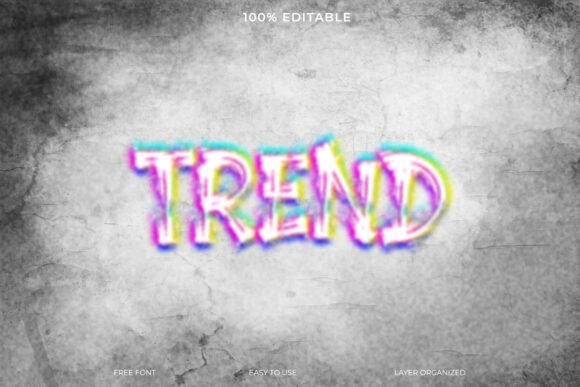
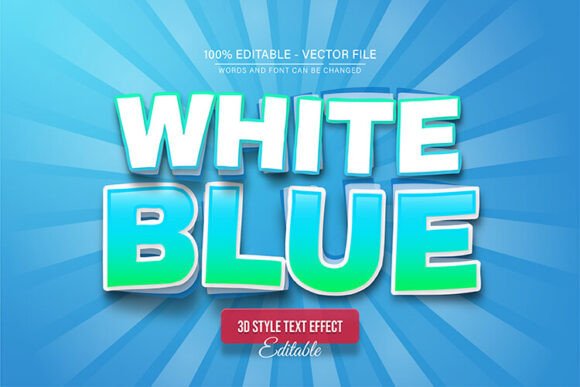
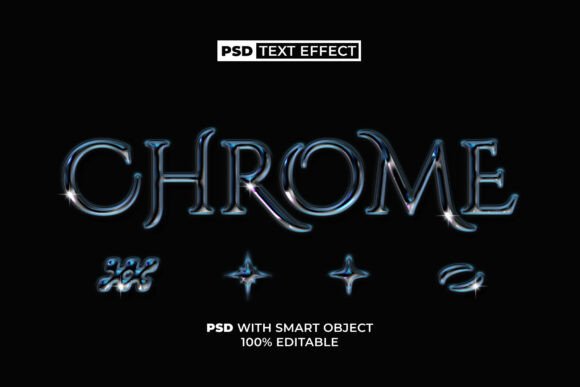
The Chrome Text Effect Style is a Photoshop resource that allows users to apply a sleek, metallic text effect quickly and easily. It’s especially useful for designers, marketers, and content creators who want professional results without spending hours on detailed editing. The package typically includes a PSD file, a JPEG preview, and a smart object layer that makes text replacement simple and intuitive.
How It Works
This text effect uses a smart object in Adobe Photoshop, which means you can replace the text with your own message in just a few clicks. The chrome style gives letters a shiny, reflective look that mimics polished metal. It's ideal for logos, social media graphics, app icons, or any design where you want to convey a sense of sophistication or modernity.
Why Different Users Might Care
Depending on your background or goals, the Chrome Text Effect Style might appeal to you for different reasons. Here's how various audiences might see value in this resource:
Beginners and Casual Users
If you're just starting with Photoshop or don’t have much design experience, this effect is perfect for you. You don’t need to understand layer styles or blending options to get a polished result. Just double-click the smart object, type your text, and save. It’s a fast way to make your projects look professional without learning complex techniques.
Freelancers and Designers
For professionals who work on multiple projects, time is money. This effect can be a useful shortcut for client work that needs a high-end look quickly. Whether you're designing a banner ad or a logo concept, the Chrome Text Effect can be a reliable asset in your toolkit. It’s also fully editable, so you can tweak colors or lighting if you want to customize it further.
Entrepreneurs and Marketers
If you're building a brand or promoting a product, visual appeal matters. Chrome text can convey a sense of quality and innovation, making it ideal for tech-related branding, app store graphics, or promotional banners. Since the file includes a JPEG preview, you can also use it as a placeholder or presentation mockup without opening Photoshop at all.
Educators and Tutors
Teaching design concepts can be easier when students see immediate results. The Chrome Text Effect Style can be used as a learning tool to show how smart objects work or how to apply layer styles in a real-world context. It’s also a good example of how to structure Photoshop files for reuse and efficiency.
Hobbyists and DIY Creators
Whether you're making custom t-shirts, YouTube thumbnails, or personal art projects, this effect can help you add a touch of shine and professionalism. The chrome style works well in a variety of creative contexts, from gaming channels to product mockups, giving your work a modern edge.
Key Features and Benefits
The Chrome Text Effect Style comes with several features that make it user-friendly and adaptable:
- Smart Object – Replace the text without losing quality or style.
- 100% Editable – Change colors, lighting, or effects to match your vision.
- Easy to Use – No special skills required. Just one click to edit the text.
- Free Font Used – No licensing issues or extra downloads needed.
- Includes Readme File – Clear instructions for users of all levels.
Practical Use Cases
Here are a few examples of how different users might apply this effect:
- Bloggers: Use chrome text for featured post titles or social media headers to draw attention and match a modern aesthetic.
- Small Business Owners: Create promotional graphics for Facebook or Instagram ads that look high-quality without hiring a designer.
- Game Developers: Design game titles or UI elements that stand out with a metallic finish.
- Students: Add flair to school projects or presentations with a polished text effect that elevates the overall design.
When It Might Not Be Right for You
While the Chrome Text Effect Style is versatile, it may not be the best fit for every project. If you're looking for a very specific or custom look that requires detailed control over every element, you might prefer creating your own text effect from scratch. Similarly, if you're not using Photoshop or aren't comfortable with smart objects, this might not be the ideal solution for you.
What to Consider Before Using
Before downloading or applying this effect, think about your project needs and your skill level:
- Design Goals: Does the chrome style match the tone of your project? It works well for tech, luxury, or modern themes, but may not suit vintage or minimalist designs.
- Editing Needs: Will you need to customize the effect beyond just changing the text? If so, check if the layers are well-organized and easy to modify.
- Software Access: Make sure you have Photoshop or can open PSD files. Some alternatives may not support smart objects properly.
Final Thoughts
The Chrome Text Effect Style for Photoshop is a helpful tool for anyone looking to create stylish, professional text quickly. Whether you're a beginner trying to make your first design or a pro looking to save time, this effect can be a valuable addition to your creative resources. Its smart object structure, combined with ease of use and full editability, makes it a flexible option for many types of projects.